The combination of the IMAGEPro Glass V2 software and the NIR-B-2K high-definition thermal imager with 3 million pixels offers glass producers a closer path to achieving Industry 4.0 standards. These technologies support and enhance furnace efficiency in the glass industry.
The benefits of using an
NIR-B-2K thermal imager for accurate real-time temperature measurement in a
glass melt tank or furnace can be explained through four core pillars:
1. Melt tank/furnace control: By capturing optical thermal profiles and thermal images, it becomes possible to optimise temperature-based automatic reversals.
2. Campaign life asset production and extension monitoring: The technology allows for monitoring temperatures, including the crown, throughout the production process to ensure efficient and extended asset life.
3. Glass production efficiency and throughput monitoring: The batch line can be monitored, and batch transit time and batch coverage can be recorded and compared for enhanced production efficiency.
4. Energy efficiency and emissions reduction: The software facilitates optimising flame patterns and burn efficiency to achieve energy savings and reduce emissions.
By installing our NIR-B-2K thermal imaging camera inside a glass melt tank, continuous monitoring of batch melting becomes possible. When combined with our advanced thermal imaging software, IMAGEPro Glass V2, temperature measurements of the melt line, hot spots on thermal profiles, batch coverage, batch transit time, and the crown can be obtained.
Here's how it works:
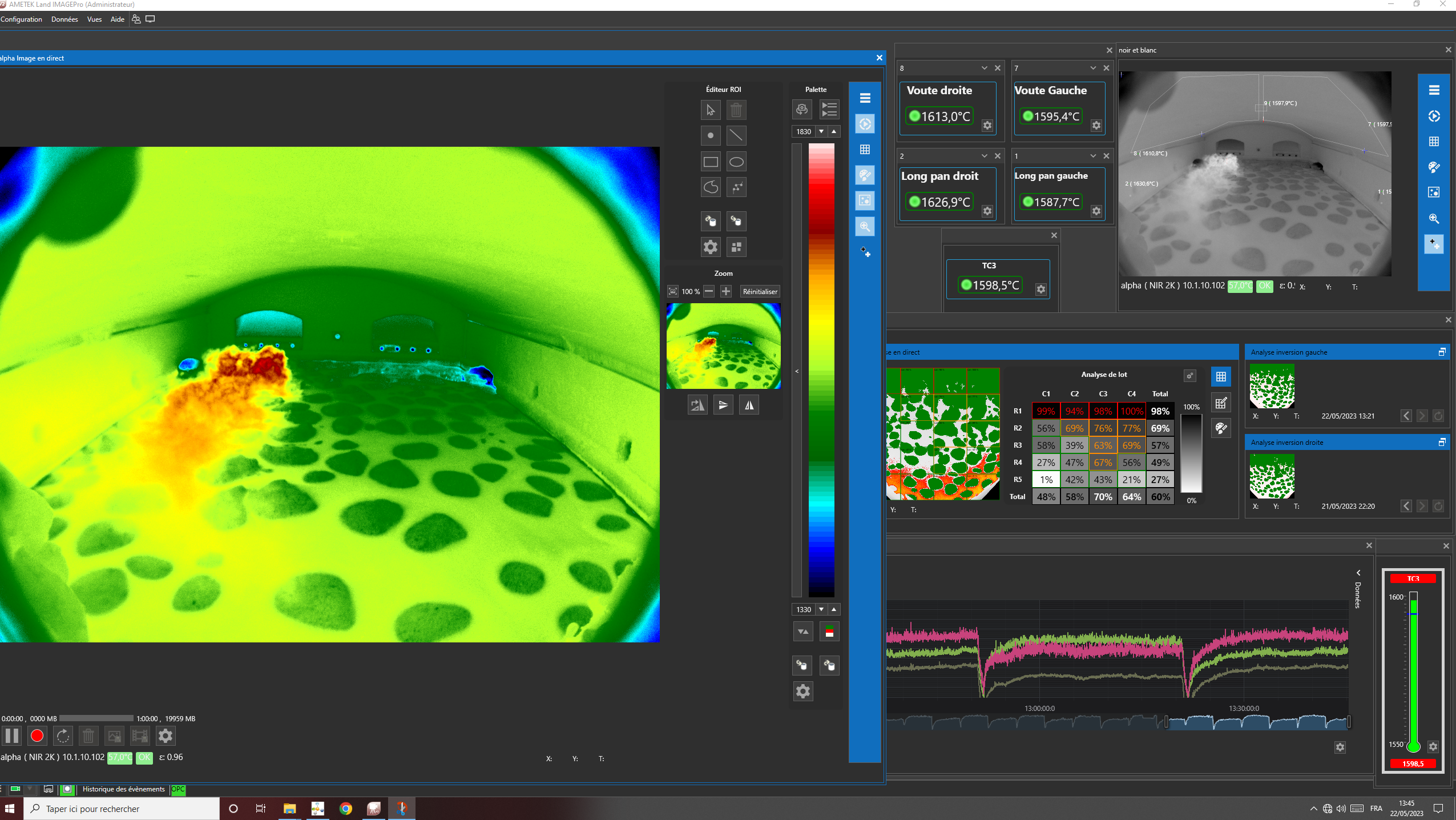
The batch coverage functionality of
IMAGEPro Glass V2 maps batch coverage onto the thermal image, displaying it as a grid with rows and columns to pinpoint specific spots. Areas of interest are added, and alarms are set for the cold batch when it reaches certain points. Whenever an alarm is triggered, the image is recorded for quality assurance and troubleshooting purposes.
By utilising a specific thermal palette and adjusting temperature bands, the software identifies the most intense or hottest burner flames at specific blocks. This information helps determine the optimal flame pattern and heat transfers.
For optimal positioning, the thermal imager should be installed at the furnace's centerline, providing a clear view of the refractories, including the crown, sidewalls, burner blocks, and batch line. The thermal imager's view is converted into a 2D bird-eye display of the melter, showing the batch distribution and coverage for batch analysis. The batch movement during each reversal can be analysed, enabling effective control.
Special attention is given to critical areas near the throat and the crown. These areas should be batch-free at the throat and avoid large batch piles (generally below 15% of the batch), which are often associated with increased glass defects. The software clearly displays hot spots on thermal profiling and allows for complete batch analysis in this area, ensuring control of the zone of interest near the throat.
The
IMAGEPro Glass V2 software offers multiple displays, including two different colour palettes and the batch coverage display simultaneously. This flexibility enhances batch control and analysis, combustion and flame optimisation, heat balance improvement, and provides complete traceability of data for quality management.
To effectively monitor batch coverage with IMAGEPro Glass V2 and balance the furnace, follow these steps:
1. Set up the IMAGEPro Glass V2 system:
Ensure proper installation with the correct settings in the furnace configuration tab, defining the batch coverage grid and flames threshold.
2. Define the batch coverage criteria:
Determine the desired coverage parameters, such as the percentage of glass surface that should be covered, uniformity requirements, or specific patterns to achieve. Also, consider detecting foaming after the batch line.
3. Capture images of the batch coverage:
Activate the
IMAGEPro Glass V2 system to capture images of the glass coverage in the furnace. The system may have automated image capture or require auto-triggering.
4. Analyse the images:
Utilise the shots of glass coverage for all reversals provided by the IMAGEPro Glass V2 system. Use the software's features to measure coverage and visualise the distribution.
5. Identify coverage imbalances:
Review the analysed images and coverage data to identify areas of under-covered or over-covered glass. Compare the measured coverage against the defined criteria and assess the uniformity of coverage across the batch and glass surface, considering foaming and incorrect batch pile locations.
6. Adjust furnace settings:
Based on the identified coverage imbalances, make adjustments to the furnace settings. This may involve modifying parameters such as temperature, airflow, flames, or batch distribution. The specific adjustments will depend on the furnace type and factors affecting coverage.
7. Repeat the process:
After making adjustments, repeat the image capture and analysis process to evaluate the impact of the furnace modifications on batch coverage. Continue iterating and fine-tuning the furnace settings until the desired coverage criteria are met.
8. Monitor continuously:
Once the furnace is balanced and the desired coverage is achieved, it is important to continuously monitor the batch coverage. Regularly capture images and analyse the coverage data to ensure ongoing furnace balance and performance.
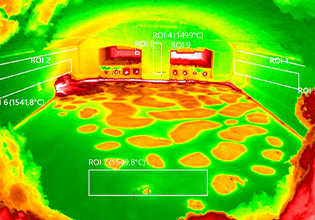
While this is a general framework, the actual process may vary depending on the furnace and the end user's rules. Nevertheless, the batch coverage functionality of
IMAGEPro Glass V2 can assist the operator's team in manually adjusting batch charging settings and easily balancing the furnace, aligning the batch line with the hot spots on the thermal profile.
These benefits can be extended further through the digitalisation of thermal distribution, inclusive thermal imagery for distributed control system data analysis (with built-in OPC UA and Modbus server), simple batch control and analysis, combustion and flame optimisation for improved heat balance, and full traceability of data for quality management.
Click here to learn more about our IMAGEPro Glass V2 software